Harvester UI · Reviewed
The side menu shows the right count next to every item
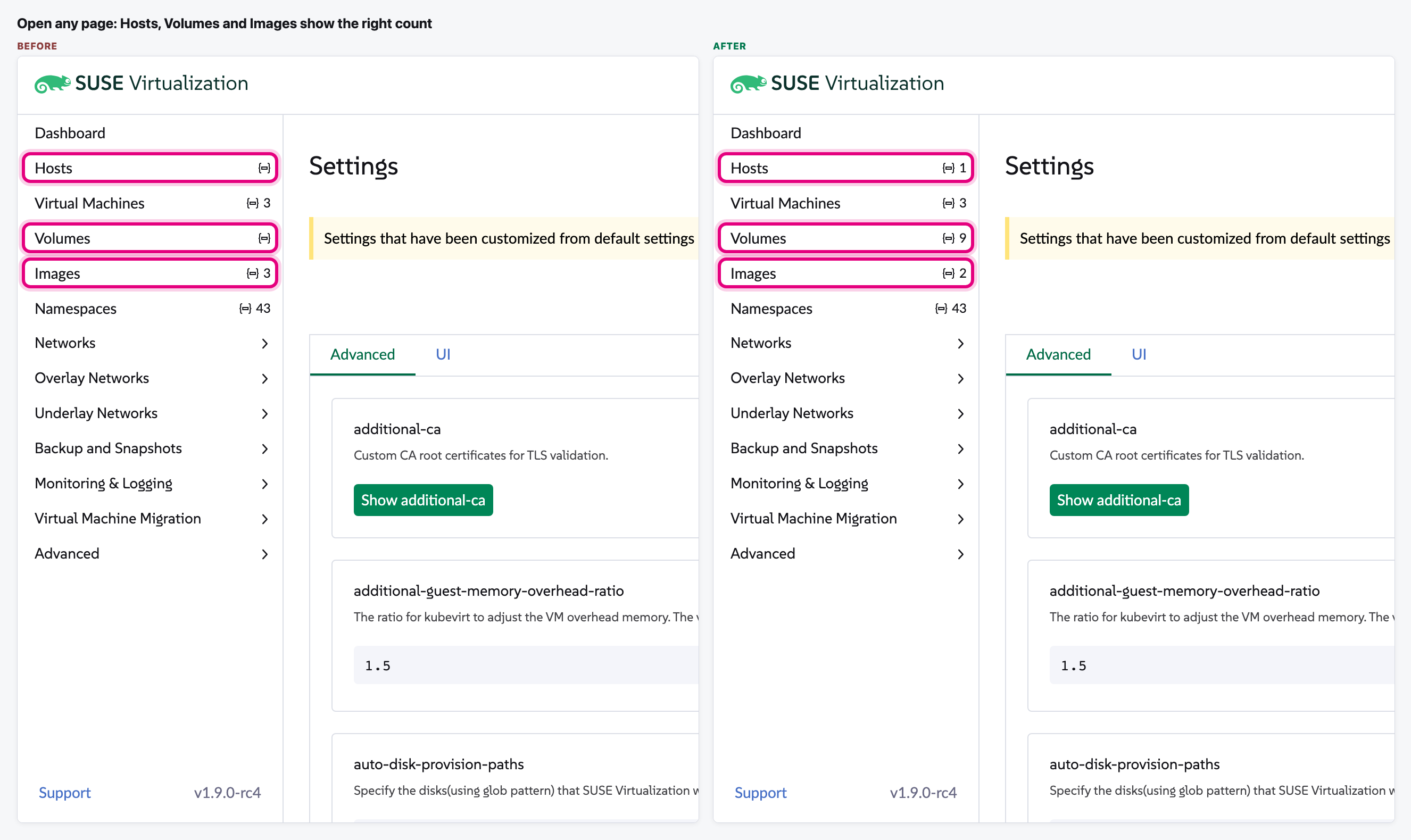
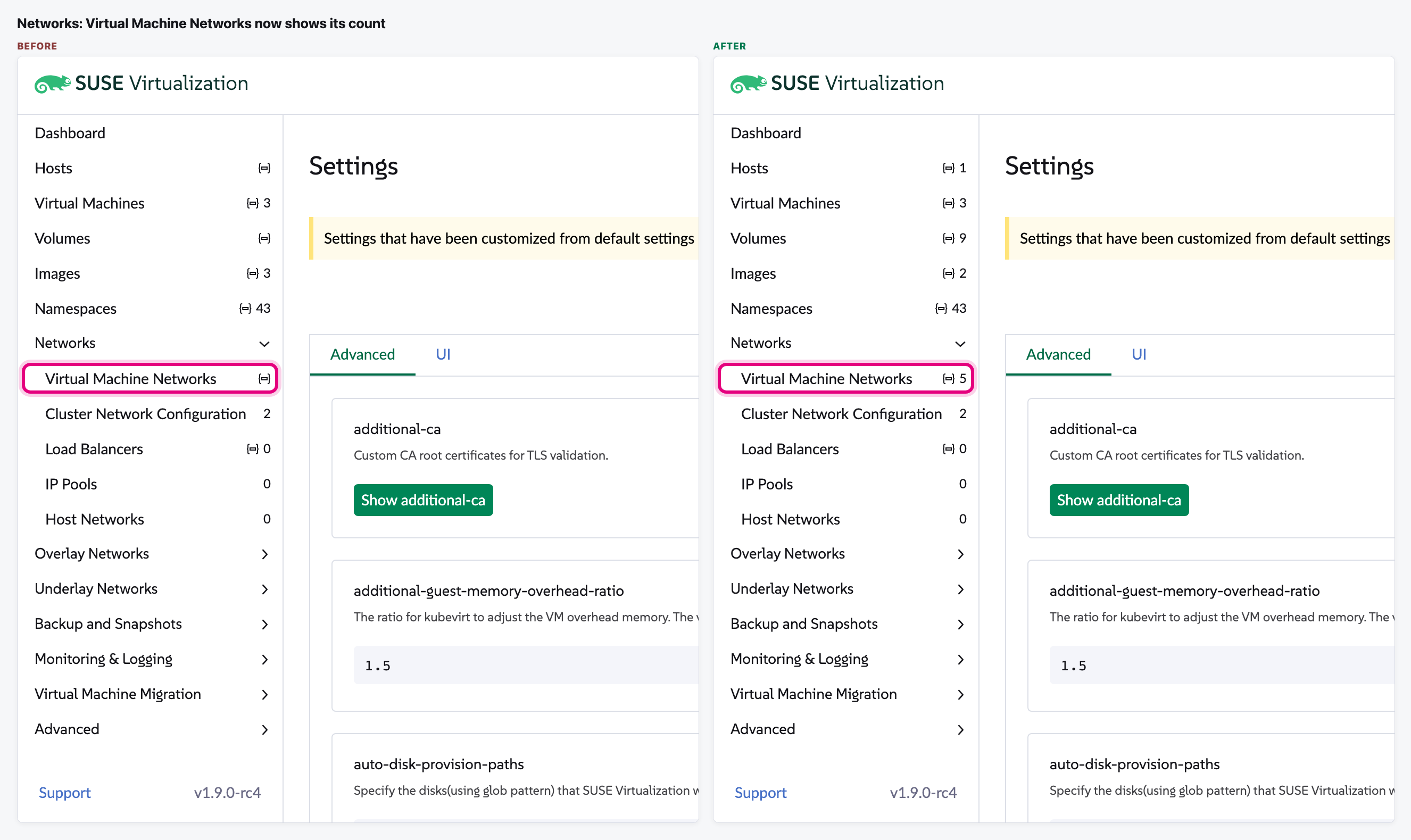
The side menu shows how many items each page has, but on current main about 8 entries per cluster stay blank or show the wrong number, for example Volumes, Virtual Machine Networks, the snapshot pages, Storage Classes and Secrets. With the change, every entry shows its count from the first page load, wherever the user lands, and the number matches the list.
What changes for the user
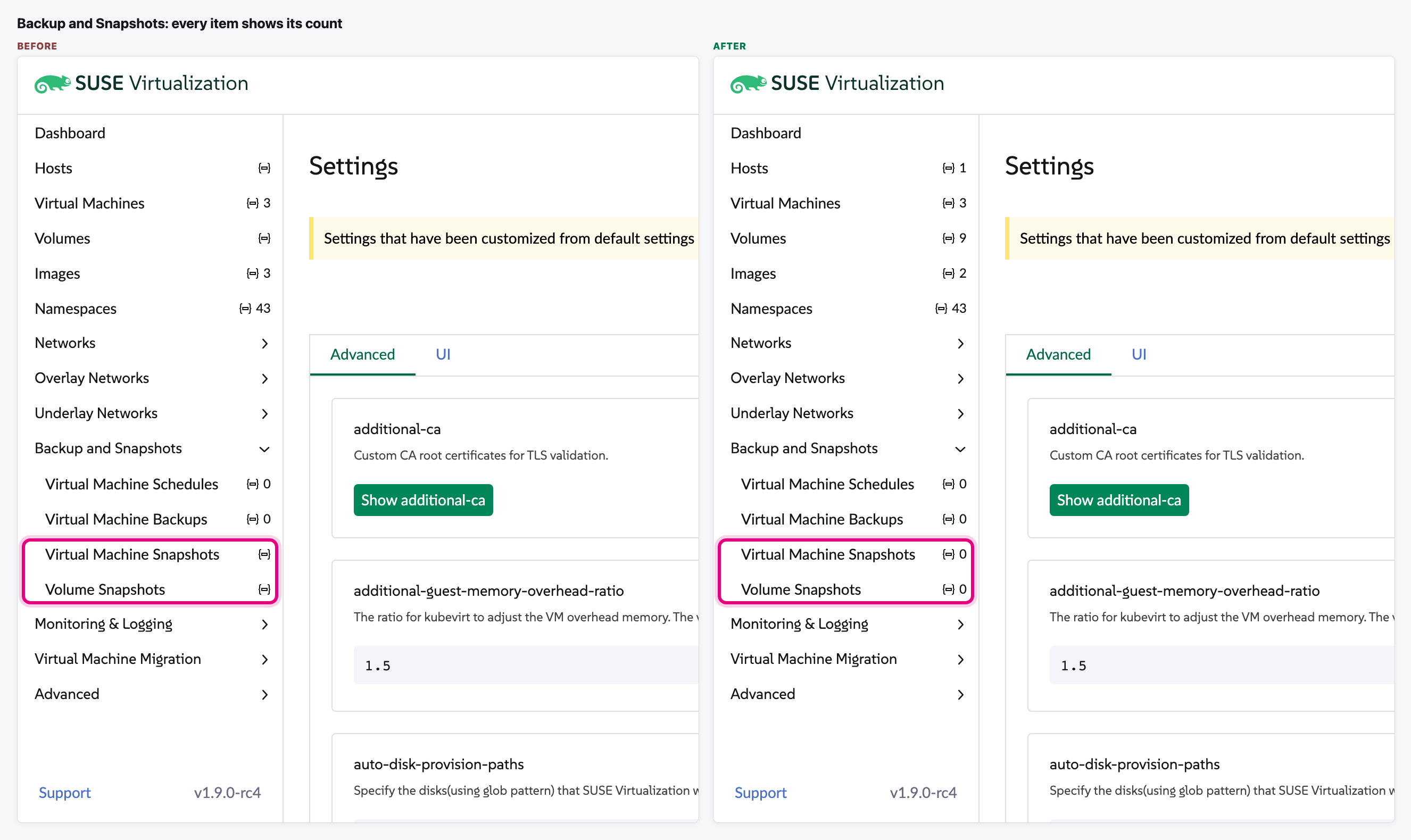
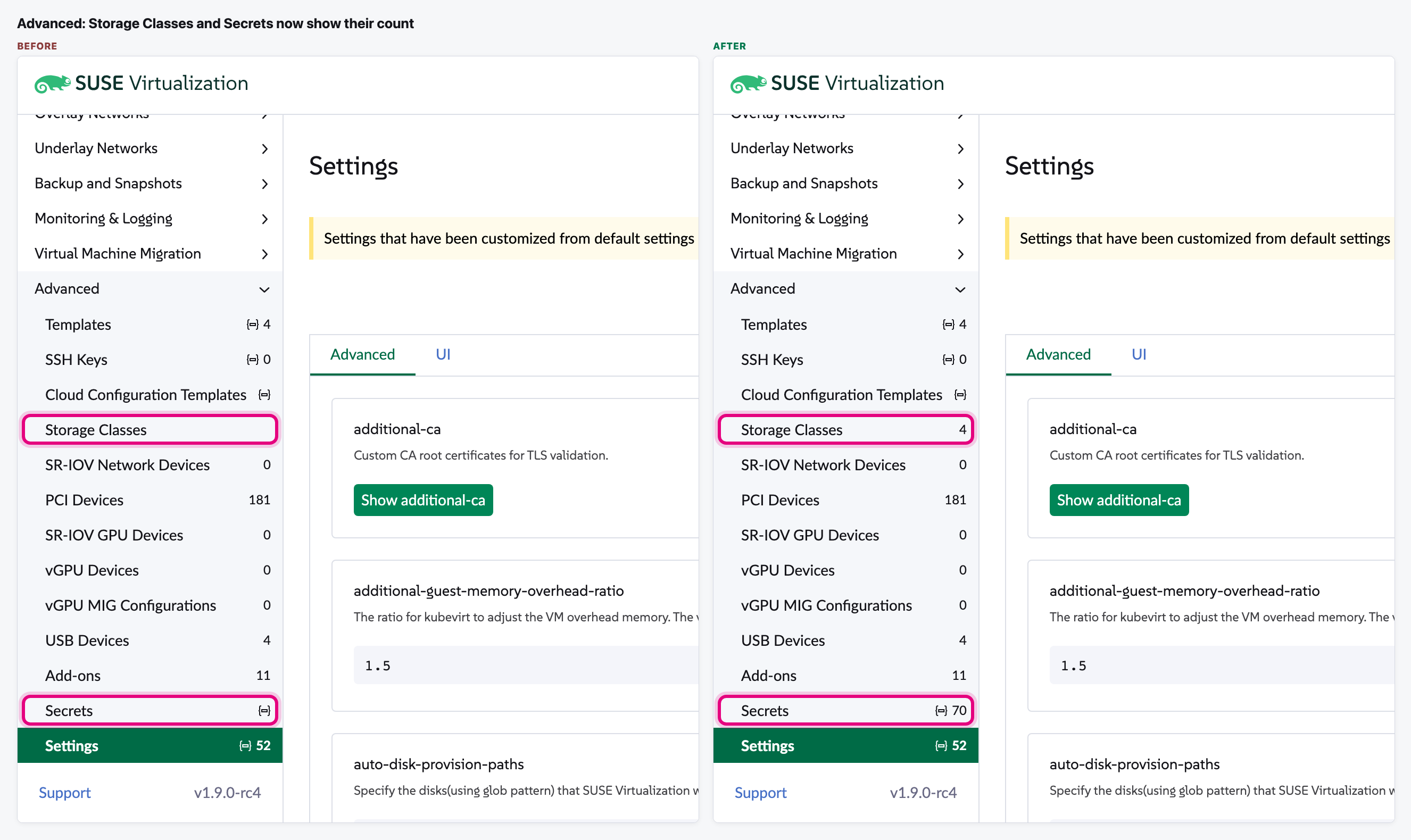
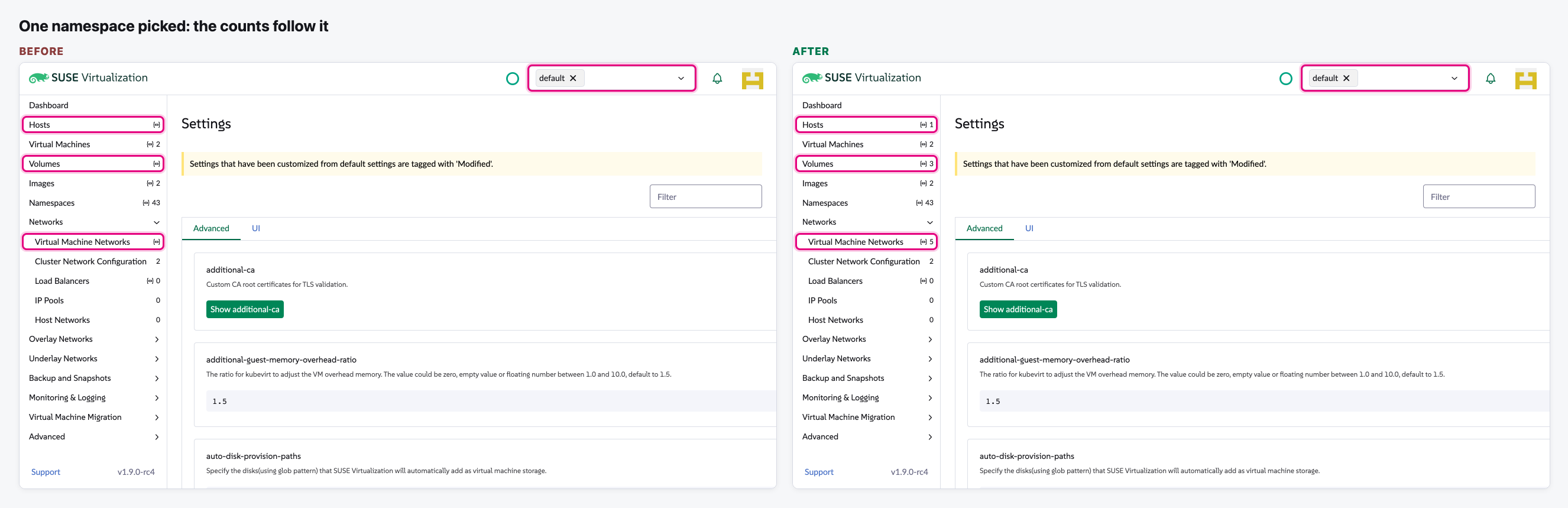
- Hosts, Volumes, Virtual Machine Networks, Virtual Machine Snapshots, Volume Snapshots, Storage Classes and Secrets now show a count. Before, they were blank until the user opened that page, and some stayed blank even then.
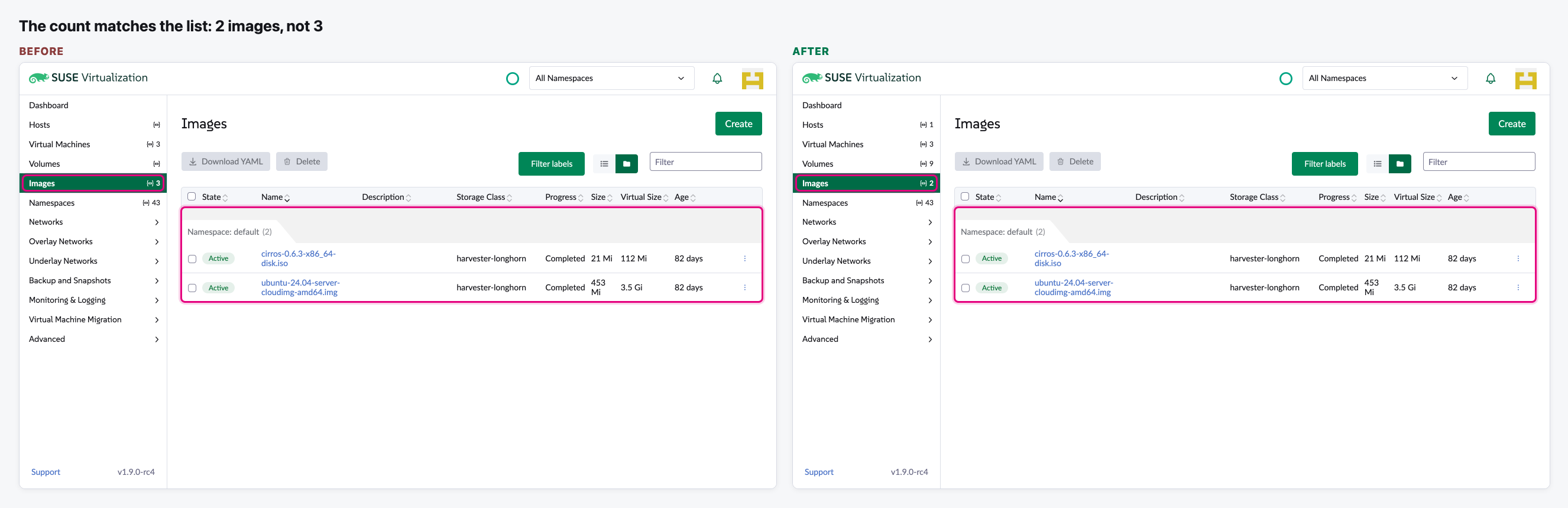
- Counts that were wrong are now right: Images said 3 while its list has 2.
- The counts appear on the first page load, whatever page the user starts on, and they follow the namespace picked at the top.
- Cloud Configuration Templates is the one item still without a count. That is on purpose: counting it would mean loading every ConfigMap in the cluster.
The flow
Land on any page
We open Settings straight from a fresh load and look at the main menu items.
Open the Networks group
We expand Networks in the menu without leaving the page.
Open Backup and Snapshots
Our test cluster has no backups or snapshots, so every right answer here is 0.
Open Advanced
We expand Advanced and scroll the menu to its end.
Check a count against its list
We open Images and count the rows.
Pick one namespace
We switch the namespace filter at the top from All Namespaces to default.
Video (optional)
0:00 Before · 0:34 After
Notes
- How we tested: current main and current main with this change, both built and run from this laptop against our test Harvester. Nothing on the cluster was changed.
- Our test cluster has no backups or snapshots, so those items show 0. In the detailed review we also added example backups and snapshots in the browser, and each count matched its list.
- With one namespace picked, the Images count says 2 while the Images list shows no rows. This is the same before the change and not part of this fix.
- We approve this round. The review is drafted but not posted yet, and the PR still waits for a Harvester maintainer.